





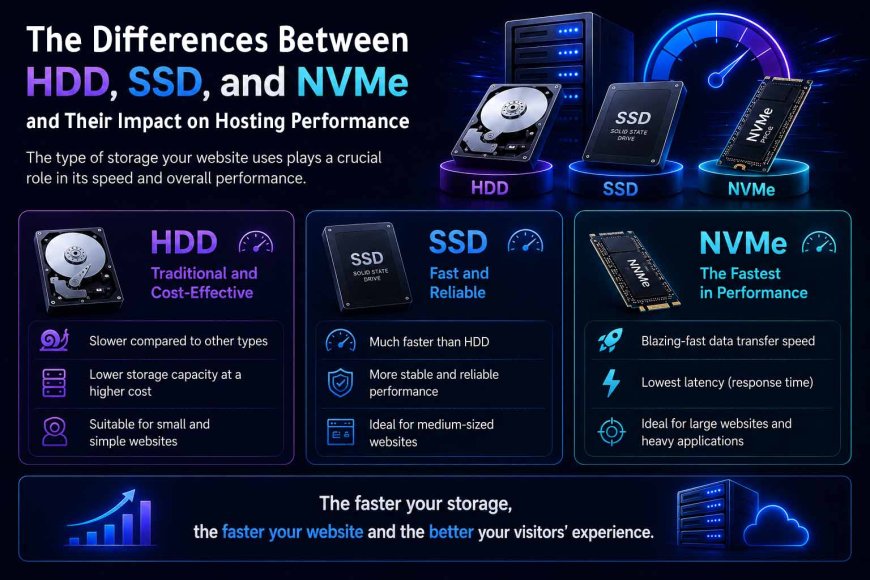
The storage technology used in a hosting server can have a significant impact on website performance. HDD, SSD, and NVMe SSD differ in terms of speed, data access times, and the way they handle read and write operations. As a result, two hosting plans with the same storage capacity can deliver very different levels of performance depending on the type of storage they use.
HDD: Traditional and Cost-Effective Storage
HDD (Hard Disk Drive) uses spinning magnetic disks and mechanical components to store and access data. When the server needs to read or write data, the mechanical parts must move to the appropriate location on the disk. This results in higher access times and slower data operations compared with SSD-based storage.
Although HDD storage can provide a large amount of capacity at a lower cost, its slower performance makes it less suitable for websites that require fast data access or handle frequent read and write operations.
SSD: Faster and More Responsive Hosting
SSD (Solid State Drive) uses flash memory instead of the mechanical components found in HDDs. Because there are no moving parts, SSDs can access data much faster and perform read and write operations with lower latency.
This can result in faster website response times, particularly for websites that rely heavily on databases, content management systems, or multiple simultaneous operations. For many hosting environments, SSD storage provides a good balance between performance, capacity, and cost.
NVMe SSD: Higher Storage Performance
NVMe SSD is a newer storage technology designed to take advantage of the high-speed capabilities of flash storage. Unlike traditional SATA-based SSDs, NVMe communicates with the storage device through the PCIe interface, allowing for significantly higher bandwidth and lower latency.
This makes NVMe SSDs particularly suitable for hosting environments that handle demanding workloads, large databases, high traffic volumes, or a large number of input/output operations (I/O).
HDD vs. SSD vs. NVMe: Which Is Better for Hosting?
The main difference between HDD, SSD, and NVMe SSD is not simply the amount of storage capacity they provide. Their performance can vary significantly in terms of data access speed, latency, and read/write performance.
If your main priority is high storage capacity at a lower cost, HDD may be a suitable option for certain workloads, such as backups or large amounts of less frequently accessed data.
For websites that require faster performance and better responsiveness, SSD storage is generally a better choice. Meanwhile, NVMe SSD is the preferred option for more demanding websites and applications that require high storage performance and low latency.
| Storage Type | Performance | Best For |
|---|---|---|
| HDD | Lower | Large storage capacity, backups, and cost-sensitive workloads |
| SSD | High | Websites, databases, and general hosting |
| NVMe SSD | Very High | High-traffic websites, databases, and demanding applications |
How Storage Type Affects Your Hosting Plan
When choosing a hosting plan, do not look only at the storage capacity and price. The type of storage used by the hosting provider can have a direct impact on how quickly your server can access website files, databases, and other data.
For example, a hosting plan with 50 GB of NVMe storage may provide a better experience for a performance-focused website than a plan offering significantly more storage on an HDD. If your website depends on fast database queries, frequent file access, or a high number of simultaneous operations, choosing faster storage can be more important than simply having more storage space.
Ultimately, the best storage type depends on your website's requirements and workload. HDD can be suitable when capacity and cost are the main priorities, while SSD offers a strong balance of performance and affordability. For websites and applications that require the highest storage performance, NVMe SSD is generally the better choice.